How to log cardio
Cardio means walking on a treadmill, riding a bike, or using a rowing machine. "Log" means record what you did.
Start from the Command Center
The Cardio Engine card has two buttons:
- ⏱️ SELECT EXERCISE — pick a machine and enter what you did
- ⚡ LIVE TRACKER — open a treadmill walk that counts your steps
- Tap ⏱️ SELECT EXERCISE.
- Pick your machine.
The cardio screen opens. This does not start a workout.
Fill in what you did
Each machine has different boxes. Three terms:
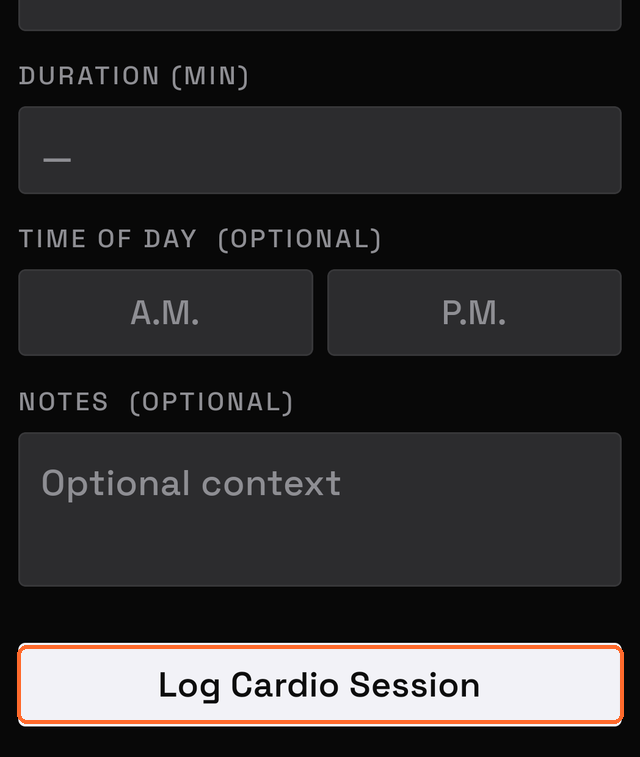
- Duration — how long you went
- Incline — how steep the treadmill tilts
- Level — the machine setting that makes it harder or easier
| Machine | Available boxes |
|---|---|
| Treadmill | Speed, Incline, Distance, Steps, Duration |
| Stationary Bike | Duration, Level, Distance |
| Rowing Machine | Duration, Distance, Level |
| Elliptical | Duration, Level, Distance |
| Stair Climber | Duration, Level |
Enter the values you have. Not all are required.
Time it as you go
The Activity timer records your time.
- Tap Start when you begin.
- Tap Pause and Resume as needed.
- Tap Stop when you finish.
MesoMetric writes the minutes into the Duration box.
Tap Cancel to set the timer back to zero. This leaves the Duration box unchanged.
The timer keeps counting if you leave the screen.
Finish
- Tap A.M. or P.M. to record morning or afternoon. This is optional.
- Type a note. This is optional.
- Tap Log Cardio Session.
The session is saved and appears in History.
At least one number is required
Enter at least one of these before saving:
- duration
- distance
- speed
- incline
- steps
- level
Time of day is not enough on its own. Neither is a note.
Saving with no numbers shows:
Logging cardio inside a workout instead
During a workout, tap Cardio at the bottom of the Active Workout screen.
The boxes are the same. The button reads Log Activity instead.